
Astute Beta Server Login Failed 400: What It Means and How to Fix It
Astute beta server login failed 400 error generally means the server received your login request but didn’t accept it as sent. It usually points to something on your side, such as an outdated app, a stale cache, a region setting, or a network problem, rather than a banned account. The app’s exact internal cause isn’t published, so the fixes below are the standard ones, in the order that costs you least.
What a Login Failed 400 Error Means
The “Login Failed 400” error means the Astute Beta Server rejected your login request. It usually happens when the request contains invalid information, your session has expired, the APK is outdated, or the beta server is having a temporary problem.
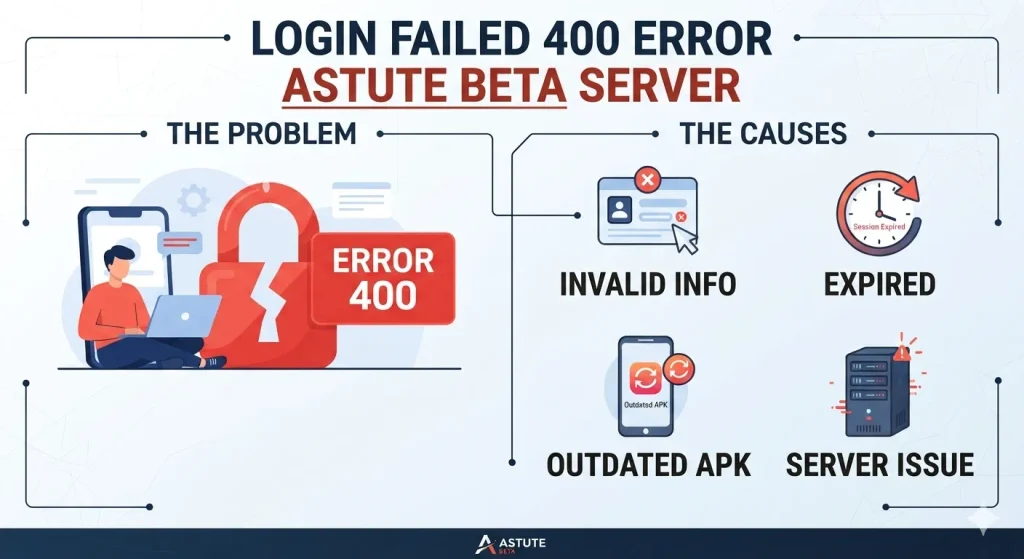
In simple terms, Error 400 means the server received your login request but could not process it correctly.
Fixes to try, in order
- Close and reopen the app. Force-stop it from Android settings first.
- Check you have the current version. Compare with the latest version. An old build sending old requests is a common cause.
- Switch networks. Move between Wi-Fi and mobile data.
- Turn off any VPN or proxy and try again. A second routing layer can change how the request arrives.
- Check the server region you selected in the app. Try a different one if available.
- Clear the app cache. Android Settings → Apps → Astute Beta Server → Storage → Clear cache. Don’t clear data unless you’re ready to re-register your UID.
- Check date and time. Turn on automatic date and time in Android settings. A wrong clock breaks many login requests.
- Re-register your UID if the app uses an activation step. See How to unlock.
- Wait and try later. If many players see 400 at once, a server change may be the cause.
When reinstalling helps?
Reinstall only if the app also crashes, won’t open, or you suspect a damaged download. Delete the old APK, download it again from the download page, and confirm the size is close to 535 MB before installing.
What Not To Do
When you see the Login Failed 400 error in your Astute Beta Server, you need to avoid these common mistakes:
- Don’t keep retrying the login again and again.
- Don’t enter random UID or account details.
- Don’t install multiple APK versions from unknown sources.
- Don’t use modified or cracked versions to bypass the error.
- Don’t share your UID, password, or verification details with anyone.
- Don’t assume your account is banned just because you see Error 400.
- Don’t change important account settings unless you know the cause of the problem.
First, check your login details and APK version. If everything looks correct, the issue may be temporary and related to the beta server.
Error 400 vs. Error 500
| Error | What it means | Common cause | What you can do |
|---|---|---|---|
| 400 Bad Request | The server cannot process your login request. | Wrong details, expired session, invalid request, or outdated APK. | Check your login details, update the app, and try again later. |
| 500 Internal Server Error | Something went wrong on the server itself. | Server failure, backend problem, or temporary outage. | Wait and try again later. |
In short: Error 400 usually points to a problem with the request, while Error 500 usually points to a problem on the server side.
Frequently Asked Questions
⚠️Disclaimer:
Astute Beta Server is a third-party application and is not developed or endorsed by Garena.