
Astute Beta Server “App Not Installed” Error: Causes and Fixes
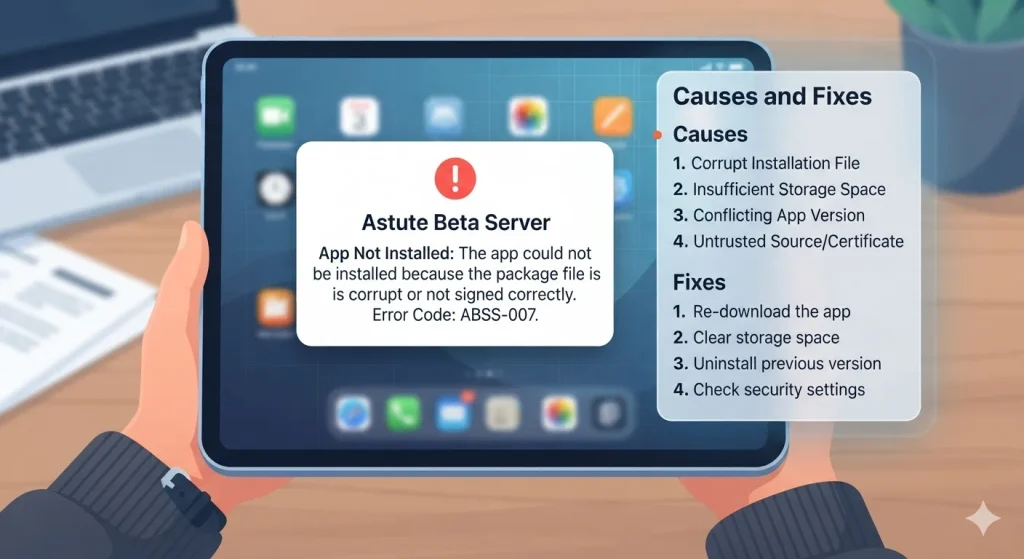
“App not installed” almost always means Android rejected the file, not that the app is broken. The usual causes are low storage, an incomplete download, an Android version below 5.0, or a conflict with an older copy.
Quick Causes
| Cause | Check |
|---|---|
| Not enough storage | Free at least 1.5 GB |
| Incomplete or damaged download | File should be close to 547 MB |
| Old version conflict | An older Astute install may block the new one |
| Android version too old | Android 5.0 or later is the reported minimum |
| Play Protect blocked it | Check the Play Protect prompt |
| Install permission missing | Allow unknown apps for your browser or file manager |
| Wrong file type | It must be an APK, not a ZIP or other format |
| Previous failed install | Leftover partial install data |
How to Fix [08 Steps]
- Free up storage. Delete unused apps, photos, and downloads until you have at least 1.5 GB free.
- Check the file size. If it’s much smaller than 547 MB, delete it and download again on a steady Wi-Fi connection.
- Confirm the file is an APK. If it ends in .zip or something else, don’t open it.
- Allow unknown apps. Settings → Apps → special access → install unknown apps → select the browser or file manager you used → allow.
- Check your Android version in Settings → About phone. Android 5.0 or later is needed.
- Remove any older Astute version and install again. Uninstalling removes its local data, so you may need to re-register your UID. See How to unlock.
- Install from a different file manager. Open the APK from a different app, or copy the file to another folder first.
- Review Play Protect. If it blocks the install, read the warning. Only continue if you’ve checked that the file came from the download page.
If it still fails
Your device may not be compatible. Low-RAM and very old phones fail more often. See Low-end devices.
What not to do
Don’t install a “different version” from another site just to get past the error. Modified copies are the main security risk with APKs.
Frequently asked questions
⚠️Disclaimer:
Astute Beta Server is a third-party application and is not developed or endorsed by Garena.